
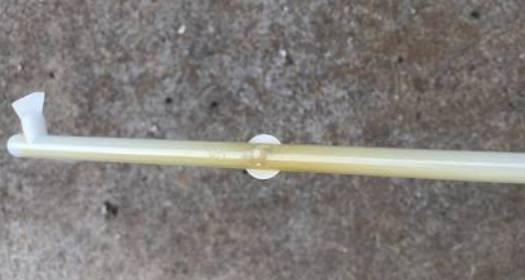
PC injection molded parts can sometimes show yellow, brown, or even black marks around the gate. This problem is especially noticeable on transparent or light-colored PC parts.
The problem may come from the material, injection molding machine, or hot runner system. The gate design also plays an important role.
If you are developing a new PC project, a well-designed injection mold can help reduce these problems before production starts.
Why Do PC Injection Molded Parts Turn Yellow Near the Gate?
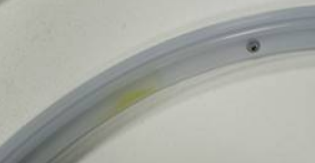
The most common causes include excessive material temperature, material residue in the hot runner, and contamination inside the injection molding machine.
1. Material Temperature Is Too High
PC needs a relatively high processing temperature. However, excessive heat can cause material degradation.
The risk becomes higher when the mold has many gates. A hot runner with many gates needs more heating zones and a more complex flow path. If the design is not well balanced, some areas may become too hot.
PC can then stay in the hot runner for too long. This may cause yellow or brown marks near the gate.
Therefore, we should not only check the temperature setting on the injection molding machine. We also need to check the actual melt temperature and the temperature distribution inside the hot runner.
2. Material Residue Inside the Hot Runner
A poor hot runner design can create another problem.
Some areas inside the manifold or nozzle may have dead spots. PC can stay in these areas for a long time.
The trapped material can degrade under high temperature. New PC material may then carry the degraded material to the gate.
This can cause:
- Yellow marks
- Brown marks
- Black spots
- Poor transparency
For transparent PC injection molded parts, the hot runner should have a smooth flow path with as few dead spots as possible.
This is especially important when designing complex injection molds, where the number and position of gates can have a direct impact on material flow and residence time.
3. Contamination in the Barrel and Nozzle
This is easy to overlook.
If the injection molding machine previously processed black, dark, or other materials, some residue may remain inside the barrel, screw, or nozzle.
The nozzle is especially important. A small amount of black residue inside the nozzle can affect transparent PC parts.
You may see black spots, yellow marks, or color changes around the gate.
When troubleshooting the problem, do not check only the mold. Check the injection molding machine as well.
Other Possible Causes
Poor Material Drying
PC needs proper drying before molding. Moisture can cause silver streaks and may also reduce material stability during processing.
Always follow the drying temperature and time recommended by the material supplier.
Injection Speed Is Too High
High injection speed can create strong shear heat.
This becomes more important when the gate is small or the flow resistance is high. The local temperature near the gate can rise quickly.
If the yellow mark appears mainly around the gate, check the gate size and injection speed together.
Unstable Hot Runner Temperature
The controller may show a normal temperature, but the actual temperature may be different.
A damaged thermocouple, heater, or temperature controller can create local overheating.
For transparent PC parts, stable temperature control is more important than simply increasing or reducing the set temperature.
How to Troubleshoot Yellow Marks on PC Parts
When PC injection molded parts turn yellow near the gate, we recommend checking the problem step by step:
1. Check the material
Confirm that the PC material is properly dried and has not been contaminated.
2. Check the injection molding machine
Clean the barrel, screw, and nozzle. Pay special attention to black residue inside the nozzle.
3. Check the hot runner
Look for dead spots, material residue, and areas with excessive heat.
4. Check the molding parameters
Check the actual melt temperature, injection speed, holding pressure, and material residence time.
5. Check the gate design
If the mold uses many gates, review the gate number, gate position, gate size, and hot runner layout.
Conclusion
Yellow marks near the gate on PC injection molded parts can have several causes.
The three areas we would check first are:
Excessive material temperature + hot runner residue + contamination in the barrel or nozzle.
If the mold uses many gates, the hot runner design and temperature control also need careful review.
For transparent PC parts, it is better to consider these issues during mold design instead of trying to solve them after mass production starts.
If you have problems with yellow marks, brown marks, black spots, or poor transparency on PC injection molded parts, Fentormold can help analyze the mold design, hot runner system, and molding process to find a practical solution. You can also learn more about our injection molding production capabilities and discuss your project with our team.